Polycarbonate 3D printing requires a compatible printer, dry filament and grade-specific process validation before approving functional parts.
ポリカーボネート(PC)フィラメントとは?
PC filament 3D printing is the next step when PLA, PETG, and ABS no longer meet your strength or heat targets. Polycarbonate (PC) filament is one of the strongest, most impact-resistant thermoplastics available for desktop 3D printing. If you have ever worked with ABS or PETG and wished for more strength, higher heat resistance, or better optical clarity, PC is the logical next step.
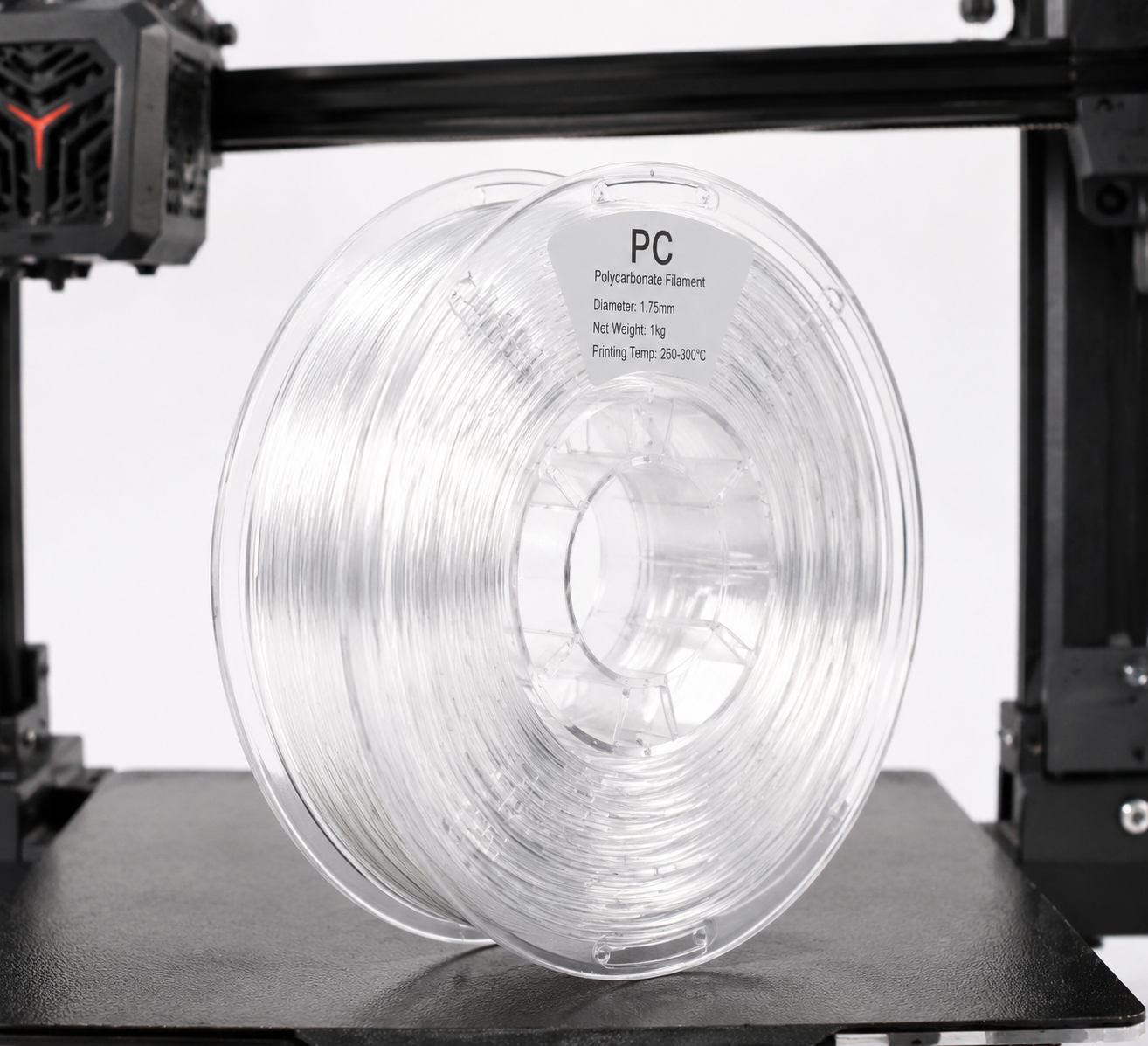
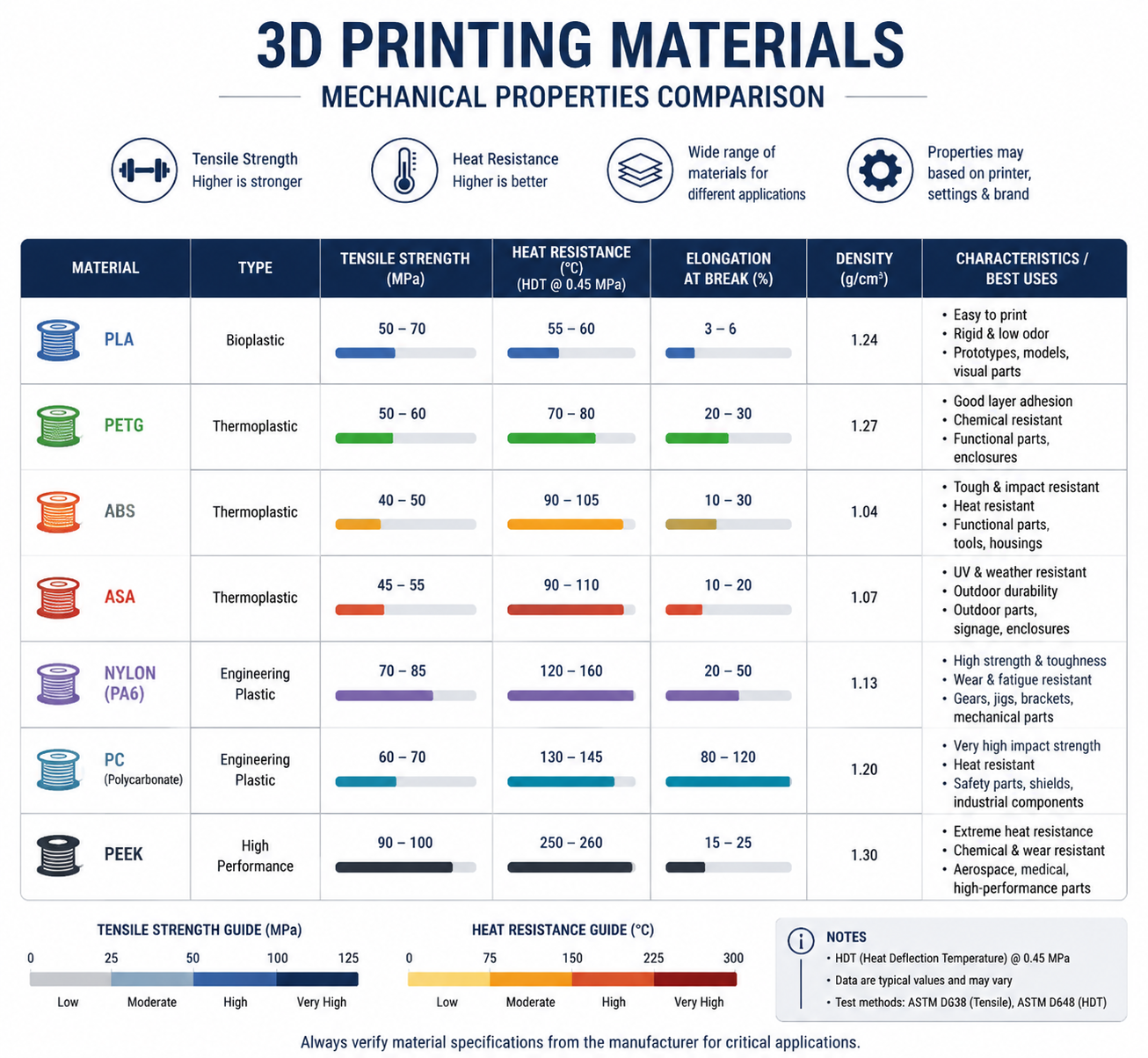
PC filament bridges the gap between consumer-grade materials like PLA and PETG and industrial-grade engineering plastics like PEEK and PEI. It offers a unique combination of properties: extreme impact resistance (up to 200 times that of glass), high tensile strength (55–75 MPa), a glass transition temperature around 147°C, and natural transparency that few other printable filaments can match. If you are evaluating the next thermal step up, our PEEKフィラメントガイド and comparison of the エンジニアリング材料に適した最高の3Dプリンター help frame where PC stops and true high-temperature systems begin.
If your immediate problem is dialing in the exact nozzle, bed, and chamber window, use our separate PC printing temperature guide alongside this broader material overview.
For procurement teams and product engineers, the key decision is whether you need pure PC, an easier-processing PC-ABSブレンド, or a filled grade such as PC-CF. The right choice depends on heat resistance, impact targets, enclosure capability, and acceptable warpage risk. If your immediate task is dialing in the process window, jump to our PC printing temperature guide for a faster setup-focused answer.
ナイロン・プラスチックでは、ナイロンや高性能素材の幅広いラインナップに加え、エンジニアリンググレードのPCフィラメントも提供しており、メーカーや上級愛好家の皆様が、デスクトップ3Dプリンティングの可能性の限界を押し広げるお手伝いをしています。.
PCフィラメントの特性概要
| プロパティ | ポリカーボネート(PC) | ABS(参考) | PETG(参考) |
|---|---|---|---|
| 引張強度 | 55~75 MPa | 35~45 MPa | 45~55 MPa |
| 曲げ弾性率 | 2,200~2,500 MPa | 1,700~2,100 MPa | 1,500~2,000 MPa |
| 衝撃強度(アイゾット) | 600~900 J/m | 150~300 J/m | 70~100 J/m |
| ガラス転移温度(Tg) | 147°C | 105°C | 80°C |
| 熱変形温度(HDT @ 0.45 MPa) | 130~140°C | 90~100°C | 68~70°C |
| 密度 | 1.20 g/cm³ | 1.04 g/cm³ | 1.27 g/cm³ |
| 光学的な透明度 | 透明(ナチュラル) | 不透明 | 半透明から透明まで |
| 耐紫外線性 | 中程度(UV安定剤を添加) | 悪い(すぐに黄色くなる) | グッド |
PCフィラメントの最大の特徴は、その耐衝撃性です。アイゾット衝撃強度が600~900 J/mあり、PLAやPETG、さらにはABSよりもはるかに優れた衝撃や急激な荷重の吸収能力を備えています。 そのため、ポリカーボネートは安全ゴーグル、防弾ガラス、電気機器の筐体などに広く採用されている素材であり、3Dプリントによる機能部品の製造にも極めて適しているのです。.
PCフィラメントに必要なプリンターの仕様
すべての3DプリンターがPCフィラメントを印刷できるわけではありません。スプールを購入する前に、お使いの環境が以下の最低要件を満たしていることを確認してください:
ホットエンド温度:260~310°C
PCフィラメントは、ブランドや具体的な配合によって異なりますが、260~310°Cで印刷されます。つまり、ホットエンドにはオールメタル製のヒートブレイクが必須となります。PTFEライニングのホットエンドは、240°Cを超えると急速に劣化して有毒な煙を放出してしまうからです。 お使いのプリンターに標準でPTFEライニングのホットエンドが搭載されている場合(Ender 3などのエントリーモデルによく見られます)、PCを印刷する前に、オールメタル製のホットエンドにアップグレードする必要があります。.
ヒーター付きベッド:90~120°C
PCの密着性と反りを防ぐためには、90~120°Cを維持できるヒートベッドが不可欠です。多くの低価格プリンターでは、ベッドの最高温度が100°Cに制限されており、小型のPCプリントであれば問題ありませんが、大型のパーツでは不十分な場合があります。周囲の温度を一定に保ち、反りを抑えるため、密閉型のビルドチャンバーの使用を強くお勧めします。.
同梱:強く推奨
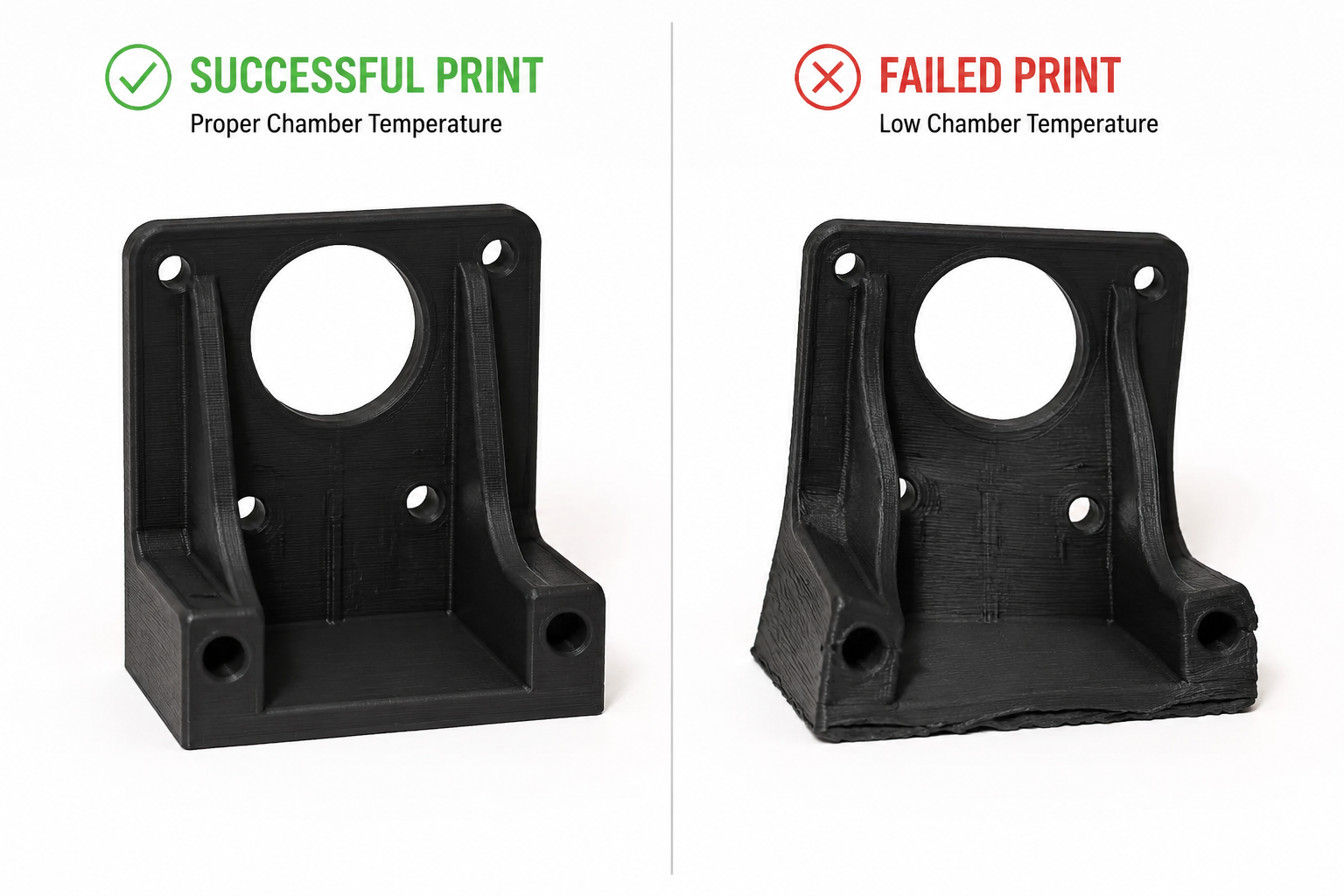
PC filament warps badly without a consistent thermal environment. An enclosure keeps the ambient temperature stable and prevents drafts from causing layer delamination. If your printer does not have a built-in enclosure, a DIY enclosure (cardboard box, photo tent, or IKEA Lack table enclosure) can work in a pinch, but aim for an ambient temperature of at least 45–60°C inside the chamber. If corner lift and shrink stress are recurring issues, our 3Dプリントの反り対策ガイド goes deeper on thermal management strategy.
接着面:PEI、ガロライト、またはPC専用接着剤
PCは、100~110°CのPEIコーティングが施されたばね鋼板にしっかりと密着します。ガロライト(G10/FR4)も優れた表面素材の一つです。この場合は、離型剤としてPVAスティックのりを薄く塗布してください。スティックのりを塗ったガラスも使用可能ですが、大型パーツでは失敗率が高くなります。 PCを素地のガラスやBuildTakタイプの表面に直接プリントすることは避けてください。強力な接着力により、取り外しの際に部品とベッドの両方に損傷を与える恐れがあります。.
ノズルの材質:焼入れ鋼(推奨)
純粋なPCフィラメントは研磨性が低いため、標準的な真鍮製ノズルで問題なく使用できます。しかし、多くのPCブレンド(特にPC-CF(炭素繊維充填)やPC-GF(ガラス繊維充填))は研磨性が非常に高くなっています。充填材入りPCのバリエーションをプリントする予定がある場合は、硬化鋼製またはルビーチップ付きのノズルに交換してください。.
| 要件 | 最小 | おすすめ |
|---|---|---|
| ホットエンドの温度 | 260°C | 280~300°C |
| ベッド温度 | 90°C | 100~110°C |
| ホットエンドの種類 | オールメタル | オールメタル+硬化ノズル |
| 添付資料 | 手作りケース(段ボール箱) | 加温チャンバー(45~60°C) |
| ビルド面 | PEI + スティックのり | PVAを配合したガロライト(G10) |
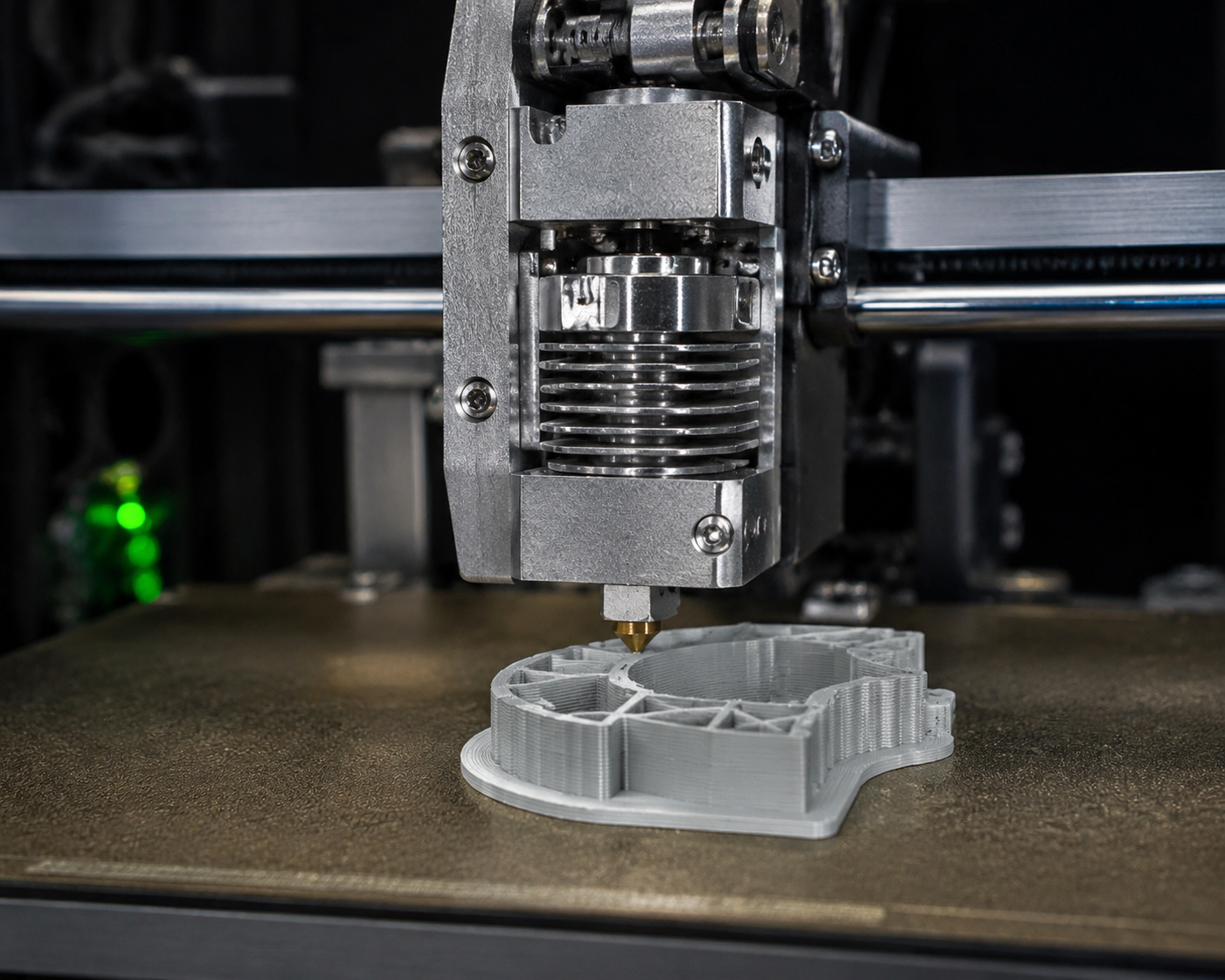
PCフィラメントのプリント設定:実践ガイド
ノズル温度:270°Cから開始
ほとんどのPCフィラメントは、260°Cから310°Cの間で良好にプリントされます。 最初のテストプリントでは270°Cから始め、温度タワーをプリントして、お使いのフィラメントブランドに最適な設定を調整してください。温度を高くすると層間の密着性は向上しますが、オージングやストリングが発生しやすくなります。逆に、温度を低くするとストリングは減りますが、層間の結合が不十分になるリスクがあります。.
温度が低すぎる場合の兆候:層間の密着不良、印刷中の剥離、または表面仕上げがマットまたはくすんでいる。温度が高すぎる場合の兆候:過度なストリング、気泡の発生、黄変・焦げ、またはノズルに炭化した堆積物が付着している。.
ベッド温度:100~110°C
最初の層はベッド温度を100°Cに設定し、その後の印刷については90~100°Cに下げてください。大きな部品(いずれかの辺が150mmを超えるもの)の場合は、密着性を最大限に高め、反りを抑えるために、印刷中ずっと110°Cを維持してください。.
印刷速度:遅くする
PCフィラメントは、低速で印刷するのが最適です。外周部は30~50 mm/s、充填部は40~60 mm/sが目安です。 最初の層はさらに低速に設定すべきです。冷却ファンを使用しない場合は20~25 mm/sです。強力な冷却が効果的なPLAとは異なり、PCは各層が下の層と適切に融合するために時間が必要です。.
冷却ファン:オフまたは非常に低速
最初の3~5層の間はパーツ冷却ファンをオフにし、その後、ブリッジやオーバーハングの印刷に必要な場合に限り、最大20~30%で稼働させてください。 PCでは、過度な冷却が反りや層間剥離の最大の原因となります。ABSをプリントする場合と同様に考えてください。ただし、PCの方が冷却に対する許容範囲がさらに狭いことを念頭に置いてください。.
撤回設定
PCはPETGに比べてストリングが発生しにくいですが、それでも適切なリトラクションを行うことが有効です。 ダイレクトドライブ式エクストルーダーの場合:30~40 mm/sの速度で、リトラクション距離を1~2mmに設定してください。ボーデン式の場合:40~50 mm/sの速度で、リトラクション距離を40~6mmに設定してください。ストリングが発生した場合は、温度を調整する前にリトラクション距離を長くしてください。.
乾燥:絶対に欠かせない
PC filament is moderately hygroscopic — it absorbs moisture from the air, and wet PC prints terribly. Bubbles, popping sounds from the nozzle, poor layer adhesion, and a rough surface finish all point to wet filament. Dry PC filament at 80–100°C for 4–6 hours before printing, and store it in a sealed container with desiccant. Print directly from a filament dryer if possible. Our ナイロンの乾燥方法 is also a useful reference here because the same sealed-storage discipline applies to other hygroscopic engineering filaments.
| セッティング | 初期値 | 備考 |
|---|---|---|
| ノズル温度 | 270°C | 微調整のために温度タワーを印刷する |
| ベッド温度 | 100°C(最初の層:110°C) | 大型部品の場合は、110°Cを維持してください |
| 印刷速度 | 40 mm/s | 最初の層は25 mm/sで |
| 冷却ファン | 0–20% | 最初の3~5層は除去し、その後は最小限に留める |
| リトラクション(ダイレクトドライブ) | 1.5mm @ 35 mm/s | ボーデン:5mm @ 45 mm/s |
| 乾燥 | 80~100°Cで4~6時間 | 乾燥剤を入れた密閉容器に保管してください |
PCフィラメントによくある問題と解決策
反り・浮き
原因: ベッドへの密着性が不十分であるか、周囲温度の変動がある。PCは熱膨張係数が比較的大きいため、冷却されると著しく収縮する。.
解決策: ベッド温度を110°Cに上げ、エンクロージャーを使用し、10mmのブリムを追加し、ビルドプレートにPVAスティックのりを薄く塗布してください。大型パーツで歪みがひどい場合は、ドラフトシールド(ほとんどのスライサーで設定可能です)を使用して、プリント周辺の熱を閉じ込めてください。.
層間剥離(層間の割れ)
原因: 印刷温度が低すぎるか、冷却ファンの風量が強すぎる。前の層と十分に融合する前に、次の層が冷めてしまう。.
解決策: Increase nozzle temperature by 5–10°C, turn off part cooling completely, reduce print speed by 10–15 mm/s, and ensure the enclosure is maintaining stable ambient temperature.
Moisture-Related Defects (Bubbles, Popping, Rough Surface)
原因: Wet filament. PC absorbs moisture from ambient air within 24–48 hours of exposure.
解決策: Dry filament at 80–100°C for 4–6 hours. Print directly from a filament dryer running at 70°C. Store unused filament in a vacuum-sealed bag with fresh desiccant.
糸引きと滲み
原因: Temperature too high, retraction insufficient, or wet filament.
解決策: Lower nozzle temperature by 5°C increments, increase retraction distance by 0.5mm, and ensure filament is properly dried. PC is less stringy than PETG but still needs tuning.
PC Filament Variants: PC-ABS, PC-CF, PC-GF, and More
Pure PC filament is excellent, but several PC-based blends expand its capabilities:
PC-ABS Blend
PC-ABS blends combine polycarbonate’s heat resistance and impact strength with ABS’s improved printability and lower cost. Typical printing temperature: 250–270°C, bed: 100–110°C. PC-ABS is easier to print than pure PC (less warping) while retaining most of the mechanical benefits. Common applications include automotive interior parts and consumer electronics housings.
PC-CF (Carbon Fiber Filled)
Adding 10–20% carbon fiber to PC dramatically increases stiffness (flexural modulus can exceed 6,000 MPa) and reduces warping by lowering the coefficient of thermal expansion. Trade-offs: the filament becomes brittle (lower impact strength), highly abrasive (requires hardened nozzle), and loses transparency (becomes black/matte). PC-CF is ideal for structural brackets, drone frames, and jigs and fixtures where stiffness matters more than impact resistance.
PC-GF (Glass Fiber Filled)
Glass fiber-filled PC offers stiffness improvements similar to PC-CF but at a lower cost and with better impact resistance retention. PC-GF is also abrasive, so a hardened nozzle is required. It is commonly used for industrial tooling, functional prototypes, and parts requiring dimensional stability at elevated temperatures.
PC-PBT and PC-PET Blends
Less common but notable: PC-PBT blends offer improved chemical resistance over pure PC, while PC-PET blends combine PC’s strength with PET’s ease of printing. These are specialty materials for specific applications like chemical-resistant enclosures and food-contact components (subject to FDA compliance verification).
| Variant | 主な利点 | Trade-off | ノズル |
|---|---|---|---|
| Pure PC | Transparency, impact resistance | Warping, high temp required | Brass OK |
| PC-ABS | Easier to print, lower cost | Slightly lower heat resistance | Brass OK |
| ピーシーシーエフ | Extreme stiffness, low warping | Brittle, abrasive, opaque | Hardened steel required |
| PC-GF | Good stiffness, lower cost | Abrasive, opaque | Hardened steel required |
| PC-PBT | 耐薬品性 | Less common, harder to source | Brass OK |
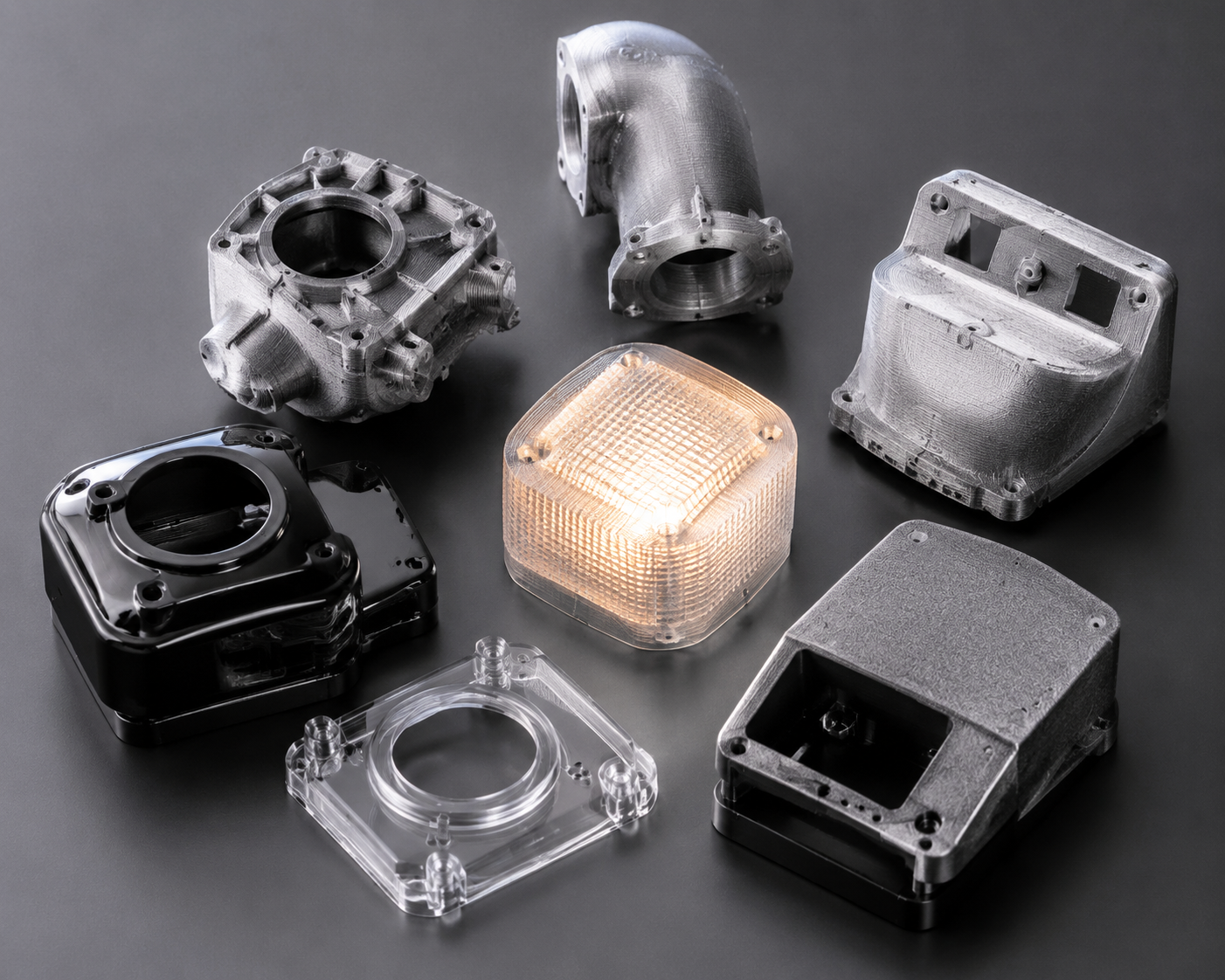
PC vs Other High-Temperature Filaments: When Does PC Win?
PC filament sits in a sweet spot between mid-range materials (ABS, PETG) and ultra-premium filaments (PEEK, PEI). Here is how it compares:
| 素材 | Print Temp | Tg / HDT | 1kgあたりのコスト | 最適 |
|---|---|---|---|---|
| PC | 260–310°C | 147°C / 138°C | $35–60 | Impact-resistant functional parts, transparent prototypes |
| ABS | 230~260°C | 105°C / 98°C | $15–25 | Budget enclosures, general prototyping |
| ASA | 240–260°C | 105°C / 95°C | $25–40 | Outdoor parts needing UV resistance |
| ナイロン(PA6) | 250–280°C | 50–60°C / 160°C | $30–50 | Wear parts, gears, flexible components |
| PEI(ウルテム) | 350–390°C | 217°C / 200°C | $150–250 | Aerospace, medical, extreme environments |
| 覗き見 | 360–410°C | 143°C / 250°C+ | $400–800 | Highest-performance applications |
Choose PC when: you need impact resistance that ABS cannot deliver, transparency that nylon cannot provide, or heat resistance that PETG cannot handle — そして your printer can maintain the required temperatures with an enclosure.
Skip PC when: your printer lacks an all-metal hotend and enclosure, you need maximum chemical resistance (use nylon or PEI), or you are printing flexible parts (use TPU or nylon instead).
Best PC Filament Brands in 2026
Several manufacturers produce reliable PC filament. Based on community testing and practical experience:
- Prusament PC Blend — Prusa’s in-house PC blend prints at 260–280°C with excellent consistency and is among the easiest PC filaments to print on properly equipped machines.
- Polymaker PolyMax PC — Known for exceptional layer adhesion and impact resistance; prints at 250–270°C with good bed adhesion on PEI.
- 3DXTech PC — Industrial-grade PC and PC blends (PC-CF, PC-GF) made in the USA with tight diameter tolerances; typically requires 280–310°C.
- eSUN ePC — A more affordable option that prints at 250–270°C, suitable for users transitioning from ABS/PETG to PC. Slightly lower heat resistance than premium brands.
- Bambu Lab PC — Optimized for Bambu Lab enclosed printers with RFID spool recognition; prints reliably at 270–290°C.
When sourcing PC filament, prioritize consistent diameter (within ±0.03mm), proper vacuum-sealed packaging with desiccant, and a manufacturer that provides a detailed technical datasheet (TDS) with mechanical property data.
Safety Considerations When Printing PC Filament
PC filament printing produces fumes that, while less immediately toxic than ABS fumes, still warrant ventilation. Key safety practices:
- Print in a well-ventilated area or use an enclosure with a fume extraction system (HEPA + activated carbon filter).
- Avoid extended exposure to printing fumes in unventilated rooms — bisphenol A (BPA) is a component of polycarbonate, and while the risk from FDM printing is low compared to industrial processing, precaution is warranted.
- Do not burn or overheat PC filament beyond recommended temperatures — thermal decomposition starts around 350°C and produces potentially harmful compounds.
- Wear heat-resistant gloves when handling PC prints fresh off the bed — the bed operates at 100°C+ and the part itself can cause burns.
Conclusion: Is PC Filament Right for Your 3D Printing Projects?
PC filament is not for beginners. It demands an all-metal hotend, a heated bed capable of 100°C+, an enclosure, and careful attention to print settings and filament drying. But for users who can meet these requirements, PC delivers a combination of impact strength, heat resistance, and optical clarity that no other sub-$100/kg filament can match.
For professional applications — functional prototypes, jigs and fixtures, electrical enclosures, automotive under-hood components, and transparent mechanical parts — PC filament is often the best material available on a desktop printer short of PEEK or PEI.
At Nylon Plastic, we supply engineering-grade PC filament alongside our full range of nylon (PA6, PA66, PA12), carbon fiber-filled, and glass fiber-filled materials for demanding 3D printing, CNC machining, and injection molding applications. If you need technical guidance on material selection or want to discuss your specific application requirements, our engineering team is available to help.
特殊なテクニック
PCプリントの焼き付け
印刷後の熱処理により、物性が向上する:
1. プリントを120°Cのオーブンに入れる
2. 30~60分間そのままにしておく
3. オーブンの中でゆっくりと冷ます
4. わずかな寸法変化が生じる可能性があります
PC部品の接着
- 溶剤溶接: メチレンクロライド(効果は高いが有毒)
- エポキシ: ほとんどの用途でうまく機能します
- 摩擦溶接: 強固な絆を築く